July 2026 - Month of TiXL
June was spent getting some things in real life in order, so there was no specific project that month. In retrospect, it probably changed my life for the better in very important ways, but it’s nothing to be discussed in a blog post.
Then in July, I wanted to explore a program I found a few weeks before, called TiXL. Or Tooll3, as I knew it as at the start. They went through a rebrand at the time which felt a little sloppy, but now TiXL4 is released and seems to have completed the name change.
It describes itself as “software to create realtime motion graphics”, but to me it just seemed like a modern demo-tool. I was always pretty interested in the Demoscene and toyed around with .werkkzeug back in the day. And tooll3 reminded me of that, even beyond the name similarity. (“werkzeug” is “tool” in German)
So my challenge this month was to create one animation with TiXL every day. I didn’t quite manage that, but did some other things with it that I hope you can agree were even better :)
Except day 1, I just actually missed the start of the month.
All the codes are available under CC0 on my GitHub. Just copy them and paste them into the editor.
Day 2
For the first one, I just experimented a bit with blending different 3D scenes. That’s not something I could have done as easily in programs like blender. I don’t remember if .werkkzeug could trivially do that.
Day 3
This is actually the improved version I made a two days later. The original was black and white, creating a very harsh contrast, and didn’t line up perfectly. The repo still has the original form.
But the fixed version has a really nice hypnotic effect.
Day 4 - The big question
I always liked the effect of flying through a torus. Here I did some more toying with masking and working with strings. Also had to do some math to make the flight through the torus loop seamlessly.
Day 5 - Tides
This one looks kinda goofy, it was made in a bit of a hurry, since I was visiting relatives that day. I couldn’t get the moon to look like a moon, so I just blurred it.
In retrospect, maybe this is fixable. Add some little, permanent movement to the tiles, and retry those clouds that currently look more like inflatable arms.
Day 6 - Flow
Just toying around a bit with the fluid feedback operator.
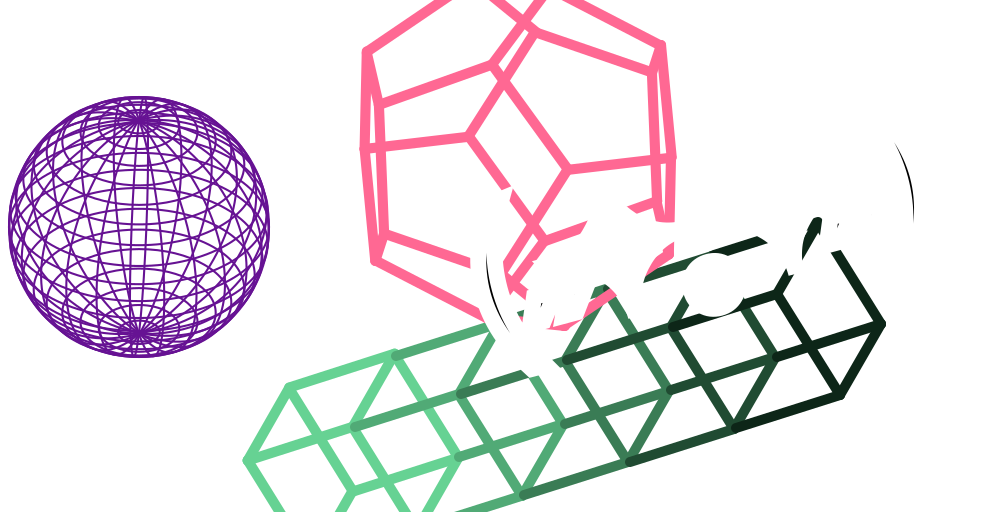
Day 7 + Day 8 - Echo
This one kinda sucks. I tried to make a more complex sequence of animations, but my timing was off. But I did find and report a bug while making it, so I guess that’s some hidden merit.
Day 9 - Bloom
I originally tried to make a whole flower opening, but once I got done making the petals in blender, they had some rendering issues, probably because I’m not great at the whole topology thing.
So I made them wireframe to hide the badness ^^’.
But overall, I think it looks quite nice, maybe a little aliased.
Day 10 - Sparks
This one is quite neat. I couldn’t figure out how to animate well with curves, so this is held together with some quite janky math.
I also tried to add some lighting, but it behaves really unintuitively. For some reason it seemed to become stronger the further it is away?
Day 11 - Glide
This was meant to be a dandelion, and I wanted the camera to track one of the seeds and follow it. But I didn’t get that to work, so in the end I was left with this pretty bare-bones animation.
Day 12
I found this effect and thought it looked neat. It originally had a fairly harsh transition between black and white, but I didn’t like looking at that, so I cranked down the contrast and slowed down the middle section.
Day 13
Just toying a little with SDFs. I like how it can create such smooth geometry on the fly. But it does tend to glitch out in some situations.
Day 14 / 15 - Bouncy Outline
Again, an animation that I made on one day and improved on the second. The improvement was possible because the bug with TriggerAnim that I reported earlier was fixed. And it turns out, TriggerAnim has a curve for this exact bounce effect.
Day 16
This used the point trail effect, which needs information from previous frames. So unlike a lot of other effects, you can’t just start it at some random time. The effect will start over if you change the time value.
Unfortunately, that also means the point trails won’t exist on frame 1. There is no option for a “warm start”, where you can process a range of frames without adding them to the render.
So instead, I rendered the loop twice, then used blender as a video editor to cut it in half.
Day 17
Playing a little more with god-rays. And SDFs because the torus mesh generator cannot create end-caps for incomplete tori, so you would be able to look into the model.
Day 18
I was going for something that you might actually see in a demo. For some reason, this fit the bill. Just imagine a scroller moving down on the right.
Day 19 - Blub
Inspired by the old aquarium screen-saver in windows. Messing with particle systems seems pretty unpredictable. In the preview, the fishes will move fast enough to reach the end, then you try to render it and they fall short. :/
Day 20 - Distance Fields
This effect is actually a debug visualization of the SDFs. But it looked neat, so I made this from it.
Day 21 - Visualization
Music: Acid Tunnel of Love from DELTARUNE Chapter 2 by Toby Fox
I wasn’t expecting TiXL to have tools for this, but apparently it has tools build for it’s build for VJ-ing, so it can just give you waveform data.
I chose the song because it was first in the deltarune music folder. :P
Day 22 - Feedback
I initially thought this would be impossible, since the rendering graph is directed. So you can’t just use the finished render as an input for an earlier stage. But it has a workaround called a texture reference, that can connect to the render node as an input and gets the last rendered frame from that.
Day 23 - Understanding displacement
I know in concept how displacement maps work, but it always trips me up somewhat. So I made this to try different kinds on displacement values.
Day 24 - Multiple Cameras
Tried to make a more complex scene with multiple cameras. Unfortunately, lighting still eludes me. The metal looks as it should in the first cut, but is just not shiny in the other cuts, even though it’s exactly the same scene.
The background is inspired from a material in the Kewlers Demo Variform from 2002.
Day 25 - Quantization
I was making a fairly simple animation. Then a friend suggested “Quantization” as a theme. So I altered the animation to fit that theme better. Animation nodes have a time input, so you can take the real time input and alter it. Using that, I made it so these cubes all animate at 10fps.
But, there are two sets of cubes, and they animate offset from each other.
Day 26 - Public service announcement
Worked with splines for a little bit. I probably could have made it quite a bit easier. Instead, I placed all the splines by hand to match a reference image.
Day 27 - Scatter
I really like this one. I’ve learned some techniques in the days after to make the point where the animation reverses less obvious, but I still think it looks pretty good.
Day 28
No animation that day. Instead, I made a PR for TiXL. It had a new project hub, and that was sorted based on the default file-system sorting from windows. Which was typically by creation date, with the oldest projects first.
After some back and forth, I made it sort by last modification date descending instead.
There was a bug with autosave in that implementation, but I fixed that later.
Day 29 - Containment
I wanted to make something that looks like glass. Then I just through a lot of post-fx at it.
Day 30
Another PR this day. It fixes a problem with spaces in path names.
Day 31 - Foggy
This is inspired by another user in the TiXL discord. I wanted something like a volumetric fog effect, but TiXL didn’t have that. Instead, I used god-rays and Perlin noise billboards to fake it.
Conclusion
This was really fun. I hope I get to make a whole demo with this tool someday. And I love that I could contribute, even if just a little. The project is set up really great. It’s trivial to get it up and running on your own development system.